


Professional Live Stream Video Switchers & Broadcast Mixers (3G-SDI / 4K HDMI)
Multi-camera broadcast video switchers with 3G-SDI, 4K HDMI, PC-free RTMP streaming, USB MP4 recording, and PTZ camera control.
715 грн.
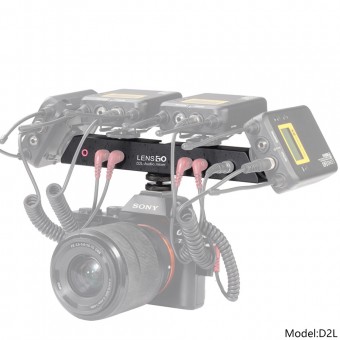
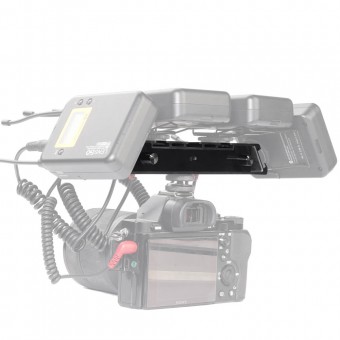
The Lensgo D2L portable mixer allows you to connect up to 4 wireless microphone receivers to your c..
Live Stream Video Switchers & Broadcast Consoles FAQ
How many video inputs does «видеомикшер и пульт для стримов» have and how many can be active simultaneously?
The «видеомикшер и пульт для стримов» features 9 physical video inputs + USB media player (9+1 architecture): 4× 3G-SDI (up to 1080p@60), 4× HDMI (HDMI 1–2 support 4K@60Hz, HDMI 3–4 up to 1080p@60Hz), and 1× USB Type-A (UVC IN / MEDIA). Up to 5 switching channels (1, 2, 3, 4, and MEDIA/5) are active simultaneously on the Multiview and program bus.
Can «видеомикшер и пульт для стримов» stream directly to YouTube, Facebook, Twitch, and TikTok without a PC?
Yes, «видеомикшер и пульт для стримов» includes a built-in hardware RTMP / RTMPS (H.265, CBR 8 Mbps) encoder and LAN (RJ45) port. Save your stream URLs and keys in X:LSeriesrtmp.ini on a USB drive, import them via the UVC IN / MEDIA port, and press ON AIR 1 / 2 to broadcast to up to 4 platforms simultaneously without a computer.
What USB drives, SSDs, and file formats are supported on the UVC IN / MEDIA port?
Use USB 3.0 flash drives formatted in FAT32 (≤64GB) or exFAT (64GB–2TB), or external SSDs up to 2TB (exFAT). Recordings are saved as MP4 files (2GB segments). Media files in X:\LSeries\ support: MP4 video (up to 1080p@60, CBR ≤8 Mbps), JPG backgrounds (BKGD) at 1920×1080, and BMP/PNG logos (LOGO) up to 384×216 pixels.
Which cameras are supported via UVC IN and can I record to USB at the same time?
The UVC IN / MEDIA port supports UVC video up to 1080p@60 from action cameras and gimbals (DJI Osmo Action 4/5, Osmo Pocket 2/3, Insta360 Link/X3), webcams (Logitech Brio 4K), and switchers (ATEM Mini). Connecting a USB hub allows simultaneous UVC camera input, logo/background loading, and MP4 recording.
How do I record and trigger the 6 hardware Macro Scripts (SRPT 1–6) on «видеомикшер и пульт для стримов»?
Press and hold any SRPT 1–6 button for 2 seconds until it flashes red, perform your desired panel actions (camera selection, PIP, Chroma Key, Scene View, audio), and press the button again (turns solid white when saved). Press once during a broadcast (turns green) to execute the entire sequence instantly, or hold for 5 seconds to clear the macro.
Can I power the «видеомикшер и пульт для стримов» switcher from a USB-C PD power bank on location?
Yes, in addition to the locking DC 12V/3A input, the switcher features a USB-C PD 3.0 (12V/3A, 30W) port for mobile battery operation or redundant dual-power backup.