


Blog | News
Shimbol CP5: Updated wireless monitor and important firmware improvements
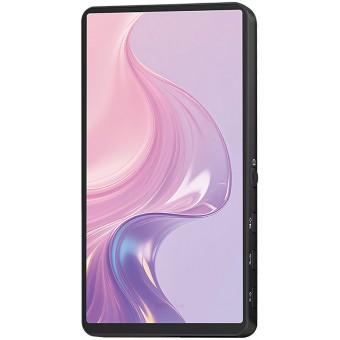
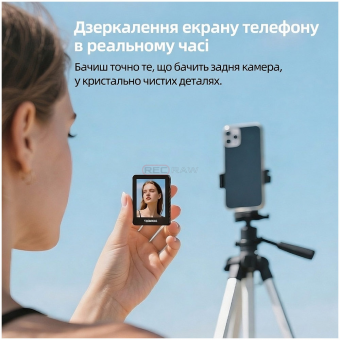
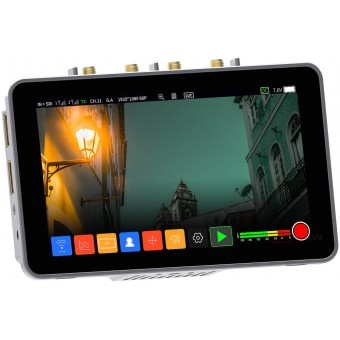
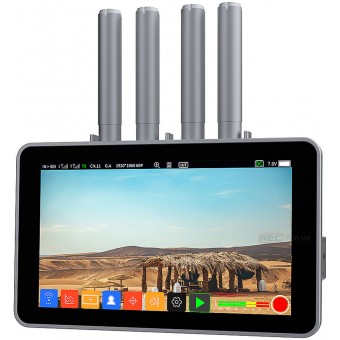
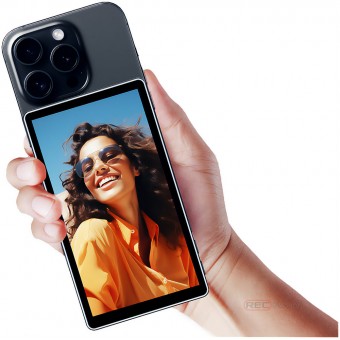
Today we will talk about the Shimbol CP5 wireless monitor, which is popular among videographers due to its convenient screen size, clear image and the ability to connect to smartphones. In addition to describing the main characteristics, we will consider the latest innovations in the firmware and how they make working with the device easier.
Shimbol CP5 Quick Review
According to Recraw.com , the Shimbol CP5 is:
- Wireless monitor for smartphones
- Screen size: 5.5 inches
- Screen resolution: 1920×1080
- Screen Brightness: 500 nits
- Contrast: 1000:1
- Wireless support: Wi-Fi 2.4GHz / 5GHz
- Latency (stated): up to 0.08 sec
Main advantages:
Good image quality
Full HD resolution and 500 nits brightness allow you to work comfortably even in daylight.Compact and light weight
With a body thickness of about 22 mm and a weight of about 190 grams, the Shimbol CP5 is an excellent choice for on-location shooting.Wireless connection to smartphones
Wi-Fi (2.4/5 GHz) support reduces cable clutter and simplifies on-site operation.Low latency
According to the manufacturer, the delay can be up to 0.08 s, which is important for precise image control.
New features in firmware
Shimbol developers have released a firmware update for CP5 , where they took into account user requests and fixed a number of errors. Let's talk about the main changes:
1. Battery status reminder
- Low battery notification
Now, when the charge level reaches a critical level, a pop-up signal appears - you will know in advance that the device needs charging. - 120 second countdown to shutdown
At the critical point, a timer starts for 2 minutes. If the power is connected during this time, the monitor will continue to work without turning off.
Why is this necessary:
These alerts reduce the risk of sudden signal loss and missed shots in the middle of a shoot.
2. Display Wi-Fi signal
- Optimized Wi-Fi level visualization
The signal indicator is now more visual so you can see the status of your wireless connection at a glance.
Why is this necessary:
Simplifies the assessment of the stability of the connection with the mobile device. If the signal weakens, you can quickly change the location or find a point with better reception.
3. Reduce latency
- Fixed an issue where a strong delay could occur when connecting to Android smartphones in hotspot mode
Improved broadcast stability and reduced the likelihood of lags.
Why is this necessary:
Smoother images and lower latency allow you to more accurately judge composition, focus, and movement in the frame.
4. No default password
- The default password "1234567890" has been cancelled
The monitor works without a password by default.
Why is this necessary:
Speeds up the first launch and connection to Shimbol CP5. Now you don't need to remember or enter the "default" password.
5. Accelerated launch
- Reduced loading time
If previously the monitor could boot up in about 14 seconds, now it takes only ~7 seconds.
Why is this necessary:
Saves time with frequent launches. When shooting is dynamic, every second counts.
6. New Zoom mode
- Added two levels of zoom
- Support for uniform zoom for 16:9 screens
Why is this necessary:
It is more convenient to zoom in on details for precise focusing. However, the zoom setting is not saved after the device is turned off.
Fixed bugs (Debugs)
Problem with incorrect shutdown
- Previously, when the rotating button was pressed quickly, the device could “freeze”, but now this error has been fixed.
Display recording time
- When recording for a long time and switching to a new file, the recording timer sometimes did not reset. Now the time is displayed correctly.
Working with TF card
- The name of the item "Format SD card" has been replaced with "Format TF card".
- Fixed the issue where you couldn't enter the playback section after deleting all the files on the TF card.
- The TF card format has been changed from exFAT to FAT32 to speed up deletion and reduce the risk of crashes.
Please note:
- The size of the recorded file is now limited to ~1.1 GB (bitrate 3 Mbps) to avoid long deletions and system freezes.
- iOS devices may experience difficulties when trying to read more than 32GB of data on a FAT32 partition of a TF card.
How to update?
- Download the firmware from the official website or from our website in your personal account.
- Follow the update instructions (usually the firmware is written to the TF card and then the device is rebooted).
- Reboot Shimbol CP5 - all new features and fixes will be available.







Leave your comment